import numpy as np
import pandas as pd
数据结构 / 创建
Pandas中有三种数据结构 Series 、 DataFrame 、 MultiIndex(老版本中叫Panel )。
Series是一维数据结构;DataFrame是二维的表格型数据结构;MultiIndex是三维的数据结构;
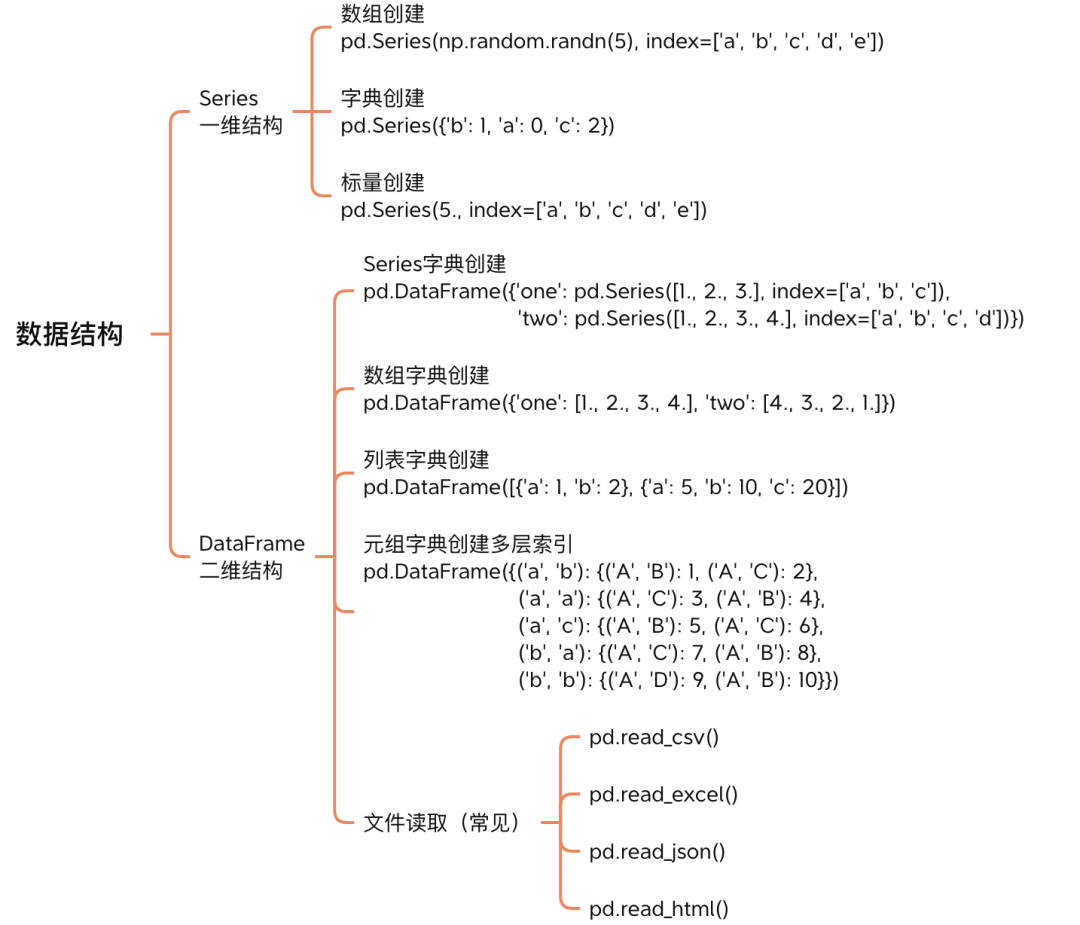
Series 一维结构
Series pd.Series()
- 第一个参数是存储的数据,这里是 Numpy 随机生成的一维数组。
- 第二个参数
index是数据对应的索引。在 Python list 或 Numpy 中数组的索引都是数字,也称为下标,但在 Pandas 中索引可以是任意类型。
基于数组创建
dt1 = np.random.randn(5)
display(type(dt1))

s_array = pd.Series(dt1)
display(type(s_array))
display(s_array)numpy.ndarraypandas.core.series.Series0 0.257091
1 2.107121
2 0.110101
3 1.278196
4 -1.325080
dtype: float64# 默认index是从0开始,步长为1的数字。也可以在 pd.Series() 指定 index=
s_array.indexRangeIndex(start=0, stop=5, step=1)基于字典创建
dt2 = {'b':1, 'a':0, 'c':2}
display(type(dt2))

s_dict = pd.Series(dt2)

display(type(s_dict))
display(s_dict)dictpandas.core.series.Seriesb 1
a 0
c 2
dtype: int64s_dict.indexIndex(['b', 'a', 'c'], dtype='object')基于标量创建
如果data是标量值,则必须提供索引。该值会重复,来匹配索引的长度
dt3 = 10
display(type(dt3))

s_int = pd.Series(data=dt3, index=range(5))
s_intint0 10
1 10
2 10
3 10
4 10
dtype: int64DataFrame 二维结构
基于Series字典创建
df_dict_s = pd.DataFrame(
    {
        'one': pd.Series([1., 2., 3.], index=['a', 'b', 'c']),
        'two': pd.Series([1., 2., 3., 4.], index=['b', 'c', 'a', 'd'])
    }
)
# 注意 index 位置
df_dict_sLoading...
基于数组字典创建
df_dict_array = pd.DataFrame(
    {
        "one": [1.0, 2.0, 3.0, 4.0],
        "two": [4.0, 3.0, 2.0, 1.0]
    }
)
df_dict_array
Loading...
基于列表字典创建
df_lst_dict = pd.DataFrame(
    [
        {"a": 1, "b": 2},
        {"a": 5, "b": 10, "c": 20}
    ]
)
df_lst_dict
Loading...
元组字典创建多层索引
df_dict_tuple = pd.DataFrame(
    {
        ("a", "b"): {("A", "B"): 1, ("A", "C"): 2},
        ("a", "a"): {("A", "C"): 3, ("A", "B"): 4},
        ("a", "c"): {("A", "B"): 5, ("A", "C"): 6},
        ("b", "a"): {("A", "C"): 7, ("A", "B"): 8},
        ("b", "b"): {("A", "D"): 9, ("A", "B"): 10},
    }
)
df_dict_tuple
Loading...
文件读取
pd.read_csv()pd.read_excel()pd.read_json()pd.read_html()
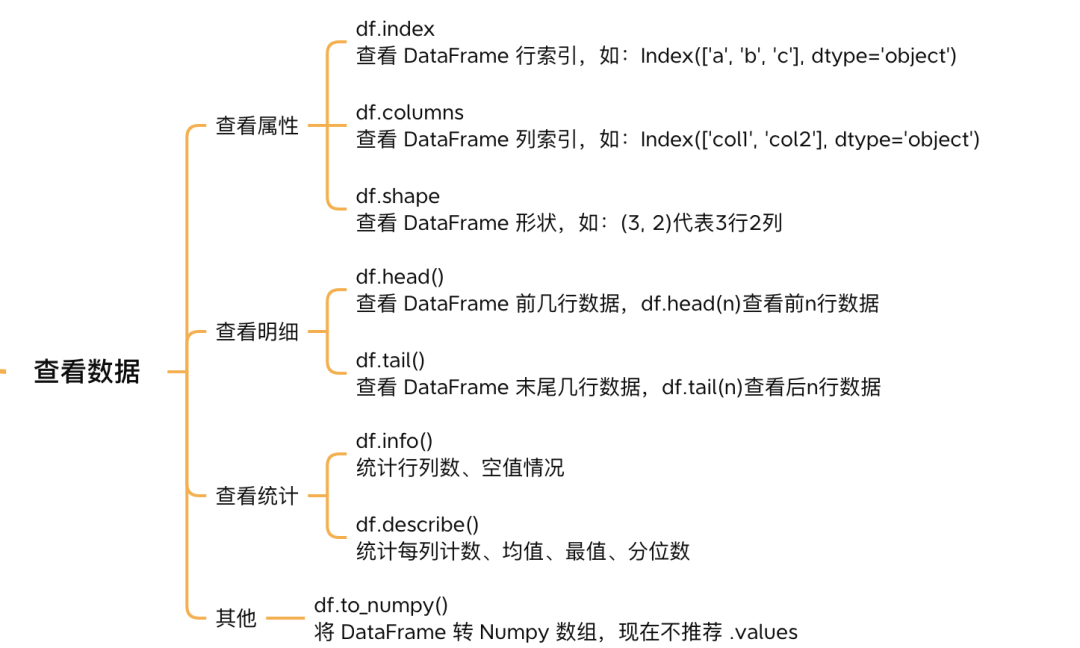
查看结构
df_dict_s.indexIndex(['a', 'b', 'c', 'd'], dtype='object')df_dict_s.columnsIndex(['one', 'two'], dtype='object')df_dict_s.shape(4, 2)查看明细
df_dict_s.head()Loading...
df_dict_s.tail(2)Loading...
查看统计
df_dict_s.info()<class 'pandas.core.frame.DataFrame'>
Index: 4 entries, a to d
Data columns (total 2 columns):
# Column Non-Null Count Dtype
--- ------ -------------- -----
0 one 3 non-null float64
1 two 4 non-null float64
dtypes: float64(2)
memory usage: 268.0+ bytes
df_dict_s.describe()Loading...
其他
df_dict_s.to_numpy()array([[ 1., 3.],
[ 2., 1.],
[ 3., 2.],
[nan, 4.]])创建与转化
索引除了创建
通过pd.Indexindex columns ,并用于创建
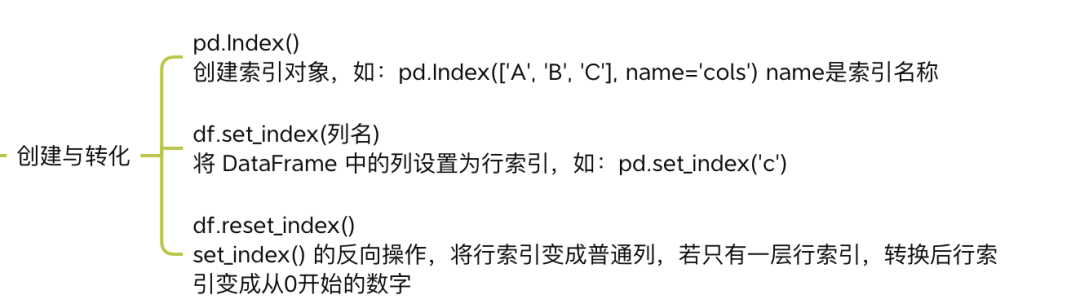
ind = pd.Index(['e', 'd', 'a', 'b'])
col = pd.Index(['A', 'B', 'C'], name='cols')
df = pd.DataFrame(np.random.randn(4, 3), index=ind, columns=col)

df
Loading...
排序
用 sort_index df
Pandas 函数里经常会见到 axis 参数,用来指定行索引或列索引:
axis=0等价于axis='index'axis=1等价于axis='columns'
axis=0axis=0axis=1
df.sort_index(axis=0)Loading...